Your Personal AI Sales Co-Worker
AnyTeam gives you a personalized workspace for you to manage all of your accounts, deals, and meetings in a single place. Autonomous and on-demand agents assist you with your work, from meeting prep, research, artifact creation, and more.
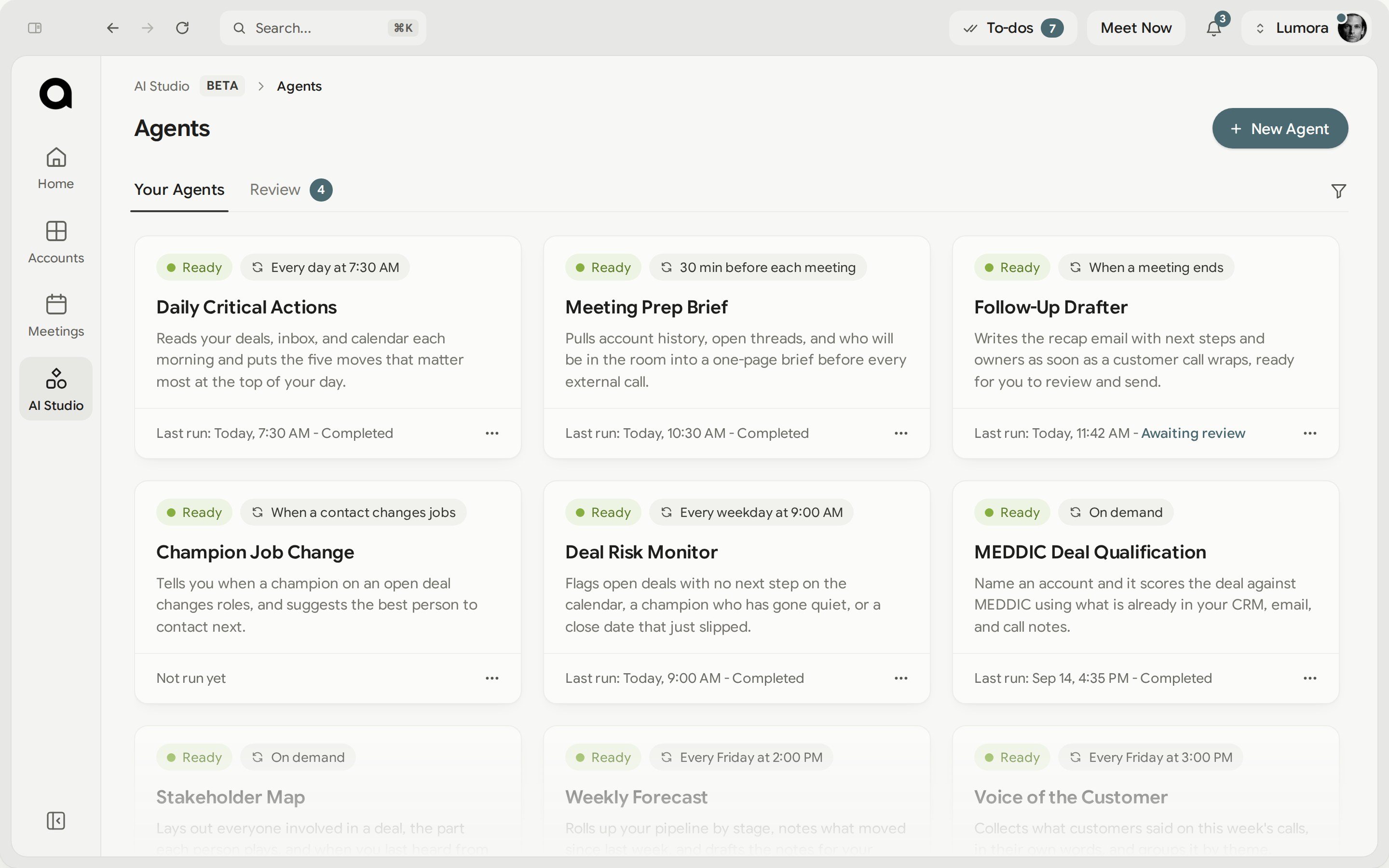
Prep, answers, follow‑up and review, handled
Built in, running off the calls, emails and calendar you already have.
Every call, prepped before you join
Who is on the invite, what they said on the last call, and the two things still open. Ready when you join.
Call prepThe answer, while you’re still talking
The answer your team gave the last buyer who asked it, on screen while you are still talking.
In the meetingThe follow-up, written for you
Written before you hang up, with the timeline you promised and every commitment logged against the deal.
SummariesYour quarter, ready to present
Built from the calls you ran and the commitments you made that quarter.
QBRsWatch them run across a single deal, from the first call to the next step.
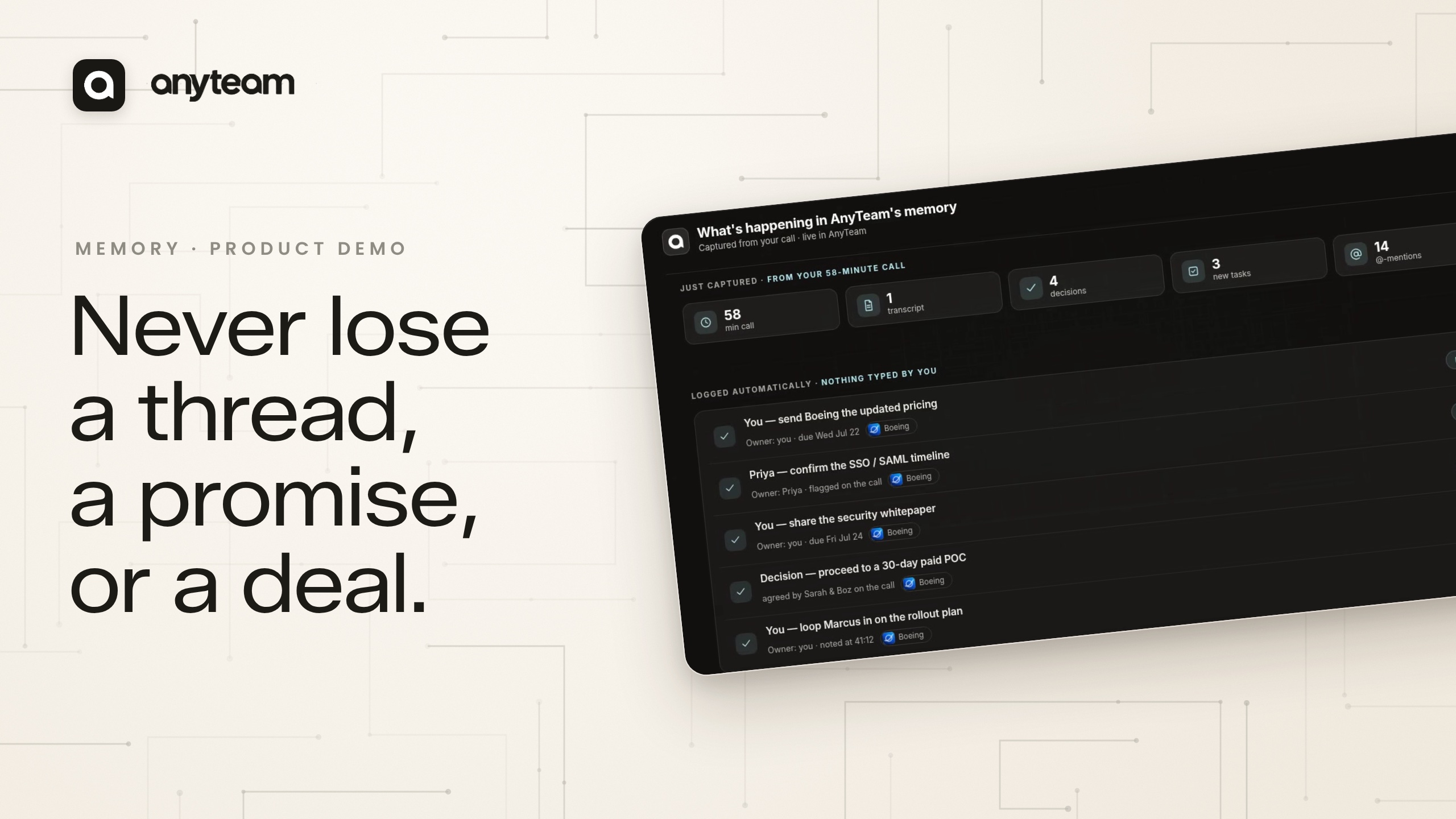
Create Agents that Automate your Workflow
Describe the job in plain English — what to do, when it should run, and where the result should land. AnyTeam builds the agent, runs it on that trigger across your accounts, and shows you what it did on each one.
Getting set up
Request access through this form. You download the desktop app, connect your calendar, email and CRM, and you are running by your next meeting.
What do I get without configuring anything?
Call prep, meeting summaries and QBRs run against your calls, emails and calendar from your first call. There is nothing to build first.
Do I have to change how I work?
No. You run the same calls and the same email. Nothing has to be filed or logged for it to work.
Can I build my own agents?
Yes. Describe the job in plain English — what to do, when it should run, and where the result should land. AnyTeam builds the agent and runs it on that trigger across your accounts, alongside call prep and summaries.
If my manager is on AnyTeam, what can they see?
Meeting summaries and deal signals. Your raw transcripts and your inbox stay closed, so they see how a meeting went and where the deal stands rather than the recording itself.
How do I get access?
Request access through the form on this page, then download the desktop app. You connect your calendar, email and CRM, and you are running by your next meeting.
Can I use AnyTeam on my own, without my team?
Yes. It works for one seller from the first call. The team features apply when a whole team is in one workspace.