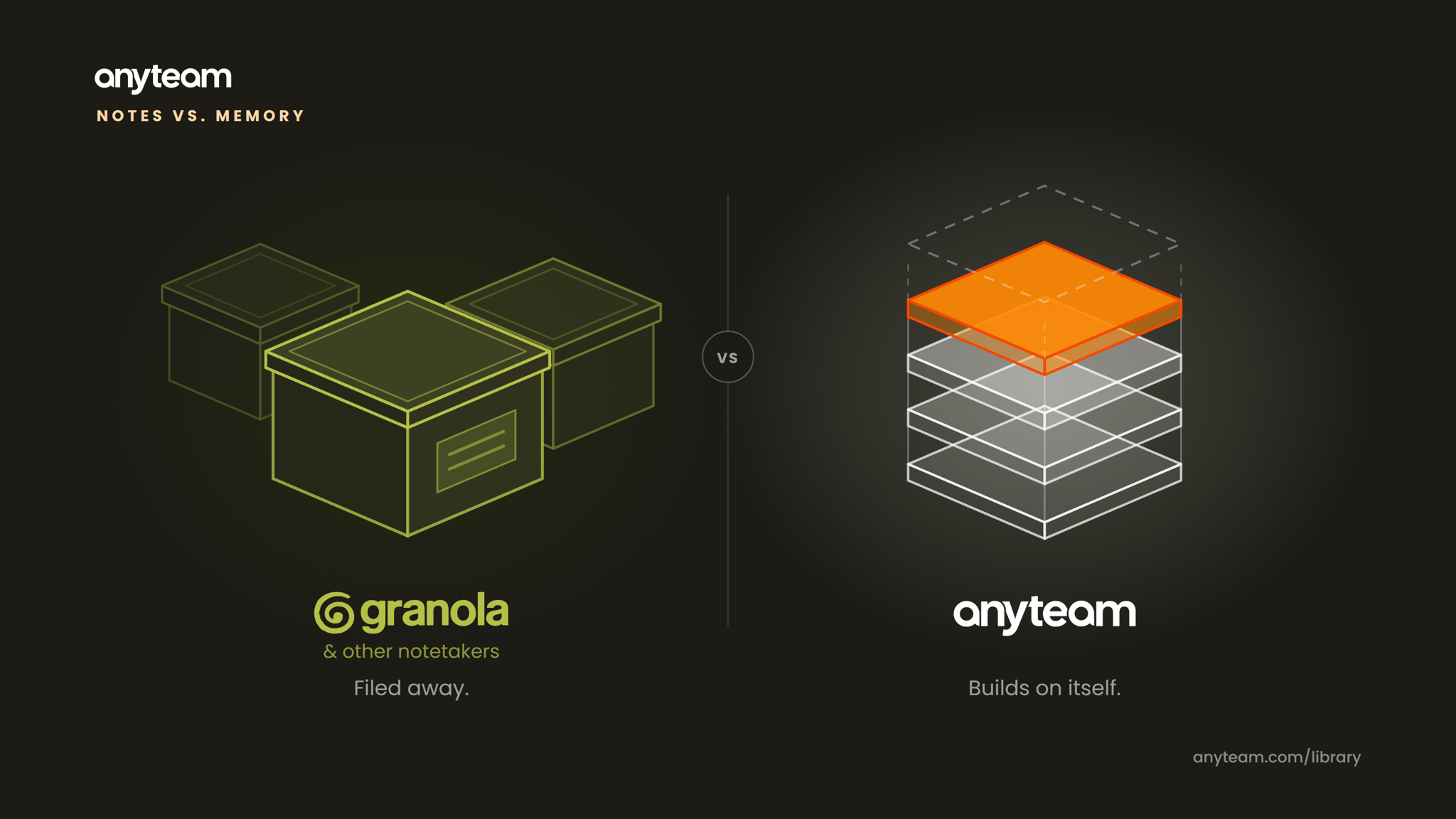
In this comparison, we opened Granola Chat, asked it direct questions about itself, and we’re quoting it verbatim throughout.
What it can see. What it can’t. What a rep has to do, step by step, to get from a bad feeling about a deal to a finished follow-up email. Granola answered honestly, and those answers are the spine of this post.
We started with the question that decides whether any of this is for you.
We asked Granola: “Are you built specifically for sales reps and sales teams, or are you a general meeting notes tool? Who is Granola designed for?”
Granola: “I’m a general meeting notes tool, not purpose-built for sales.” It listed what it doesn’t have: deal stage awareness, pipeline monitoring, CRM-native context.
If you carry a number, the transcript was never the point. What matters is what gets done with what was said on the call, and when.
Two different shapes of tool
| Granola | AnyTeam | |
|---|---|---|
| What it is | A general-purpose AI notetaker, organized around the meeting. | An AI workforce for revenue teams, organized around the rep, their accounts, and their deals. |
| What it sees | Recorded meetings, calendar basics, and uploaded files. In its words: “Everything else is outside my reach.” | Meetings, email, CRM, calendar, and account history, held together in one account picture. |
| Before the meeting | The calendar shows the meeting. | The brief is already assembled on the calendar event: who’s in the room, where the deal stands, and what to raise. |
| During the meeting | You stay present, and it turns your own rough notes into clean ones. | Captures the call too, as live context for the account. |
| After the meeting | Notice the hunch, then prompt 4 to 6 times to find signals that confirm it, then write the follow-up. | The signals are already surfaced and the follow-up drafted. |
| Build your own agents | Not part of Granola today. | Build agents that work from your meetings, email, CRM, calendar, and account history. |
| Compounding Memory | Private to each user unless manually shared. | Context accrues to the organization. Every meeting, thread, and deal adds to a memory the company keeps, and new reps inherit it on day one. |
Granola’s column is drawn from its own answers in Granola Chat, August 2026.
Agents built for a rep’s week
The agent builder turns AnyTeam’s account picture into workers you design. A few a rep would actually run:
- Follow-up drafter. Turns the last call into the email, in your voice, ready to send.
- Account research agent. Builds the prep for every meeting on your calendar.
- Pipeline review agent. Assembles what moved, what stalled, and what needs a touch before your Monday review.
- Deal risk agent. Surfaces open deals showing slippage signals, like a gone-quiet thread or a pushed timeline.
- CRM hygiene agent. Keeps the record current so Friday isn’t data entry.
- Mutual action plan agent. Drafts and updates the close plan you share with the buyer.
What can Granola see about the deal?
So we asked it directly. Not what it can do with a transcript, but what it would need before it could answer questions about a specific account well. Here’s its own answer.
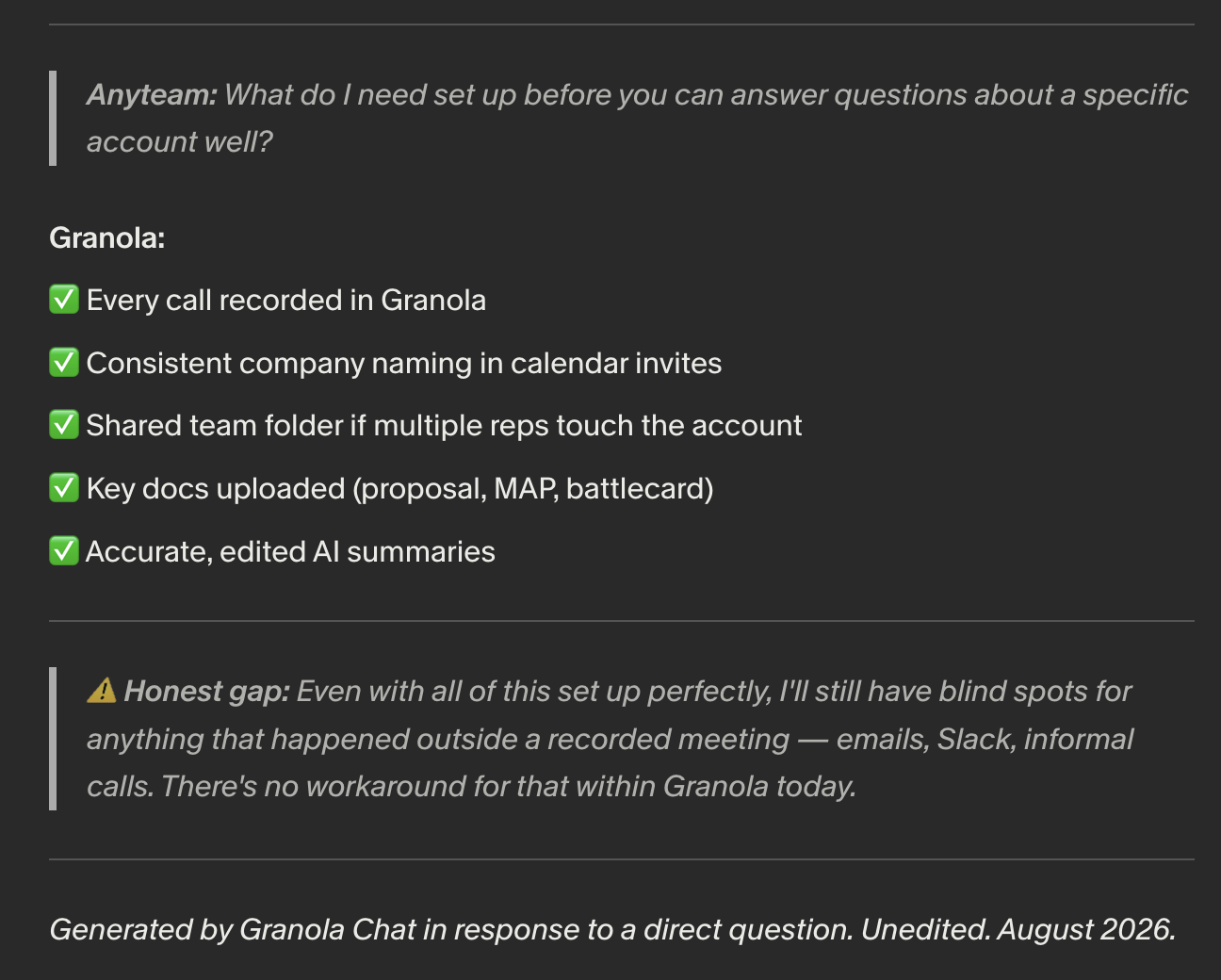
Set all of that up perfectly and one gap remains, in its own words: “I’ll still have blind spots for anything that happened outside a recorded meeting. Emails, Slack, informal calls. There’s no workaround for that within Granola today.”
A rep leaves a call with new information: the champion hesitated on timeline, a new stakeholder asked about security, procurement came up for the first time. None of that means anything on its own. Its meaning depends on the rest of the deal. Did the email thread go quiet too? Has the stage moved in the CRM? Where did the last three deals that looked like this stall?
A system that sees only recorded meetings can hand you back the facts, but it can’t tell you what they mean for the deal, because by its own description it has no deal awareness at all. So the job of connecting what was said to what should happen next — the only job that actually moves revenue — stays entirely with the rep. The category-level version of this distinction — what conversation intelligence is built to understand versus what deal intelligence is built to understand — is covered in conversation intelligence vs. deal intelligence: what’s the difference?
Which raises the practical question.
From a hunch to a follow-up, who does the work?
Say a call ends and something feels off. You want to send a follow-up that addresses it. So we asked Granola to map that path: everything a rep personally does, from the first vague sense that a deal might be slipping to the sent email.
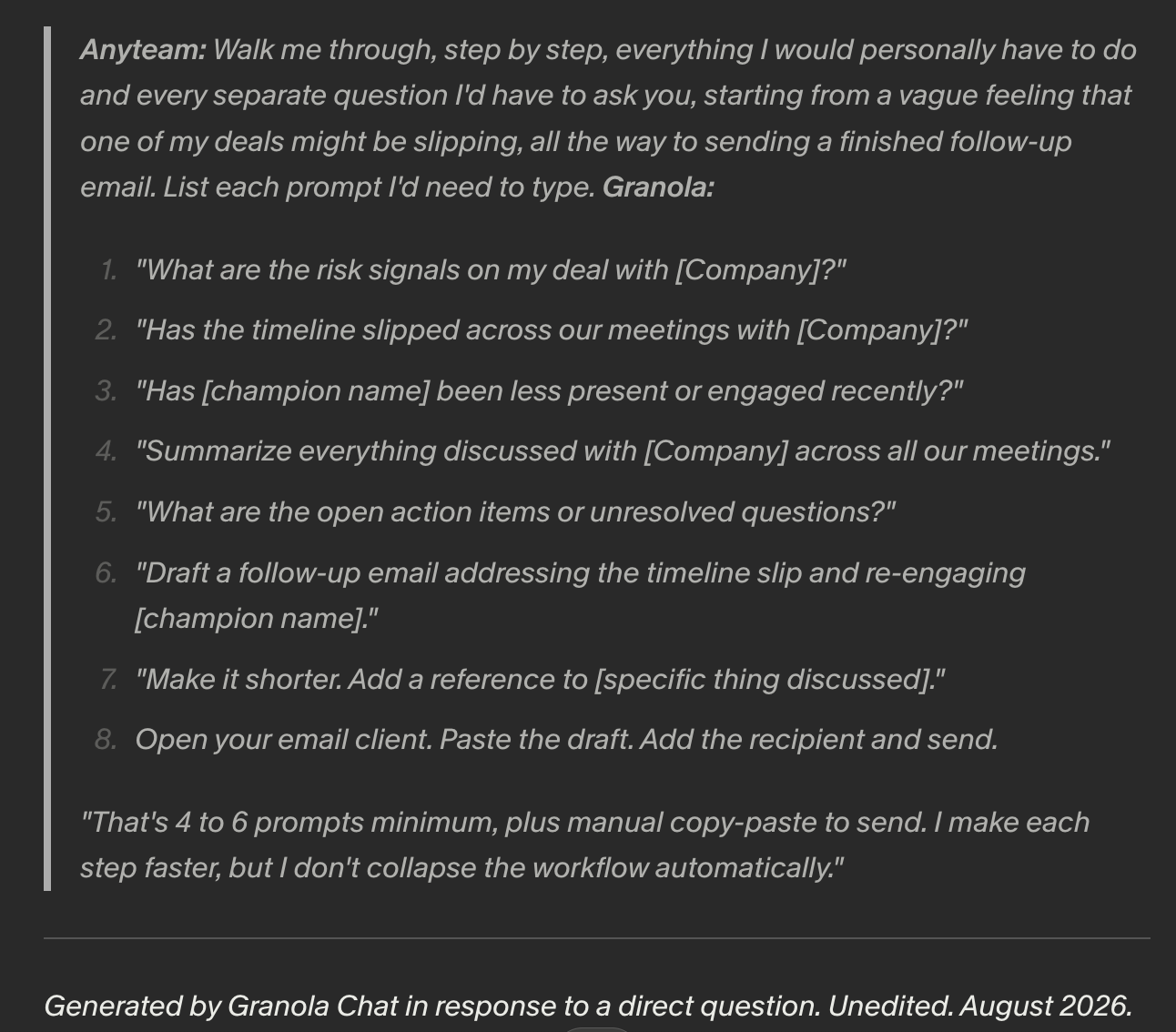
Its answer was a chain of separate prompts, each one requiring you to already know what to ask. You prompt to pull the signals that confirm the hunch. Only then can you write the follow-up. In its words: “A rep who doesn’t already know what to look for gets much less value. I’m a fast researcher, not an autonomous analyst.”
| From a hunch to a sent follow-up | Granola | AnyTeam |
|---|---|---|
| Noticing the deal is slipping | The rep, unprompted | The system flags it |
| Finding the signals that confirm it | 4 to 6 typed prompts, each one the rep has to know to ask | Already surfaced against the account |
| Writing and sending it | Draft, refine, then copy-paste into the email client | Drafted with owners and deadlines, tied to the account; the rep reviews and sends |
Look at the Granola column again. Every rung in quotation marks is a question the rep had to know to ask, and the tool’s contribution starts at step two. Everything before it, the noticing and the hypothesis, belongs to the rep. In the AnyTeam column, the first step isn’t the rep noticing. It’s the system flagging. That’s the entire difference.
Where AnyTeam fits
Granola named two gaps. It can’t see past the recorded meeting, and it can’t connect what it heard unless the rep already knows what to ask. AnyTeam is built around both.
Take the same call. The champion hesitated on timeline, a new stakeholder asked about security, procurement came up for the first time. In a call-shaped tool, none of that means anything on its own, and the job of working out what it means for the deal stays with the rep. AnyTeam already holds the rest of the deal: the email thread that went quiet, the stage in the CRM, the account’s whole history. So the new information lands against everything else that’s true about the deal, and the meaning comes with it. The rep doesn’t have to know what to look for. The signal has already surfaced.
Then it acts on it. The brief before the call, the follow-up after it, drafted with owners and deadlines and tied to the account. The context stays with the company instead of the seat, so it doesn’t leave when a rep does. AnyTeam is compounding memory that acts.
Here’s what that looks like on one real call — memory catching a promise, a timeline, and a decision before any of them slip:
Try AnyTeam with your Granola history loaded
AnyTeam is free for 14 days, and we’ll help you migrate your Granola transcripts. Day one starts with your meeting history already in, not a blank workspace. There’s nothing to rebuild and no setup project. You keep running your deals, and AnyTeam picks them up from the history you already have.
Two weeks is enough to see the difference on your own pipeline: the brief waiting before your next call, and the follow-up already drafted after it. If it’s not for you, walk away with everything.
FAQ
Is Granola good for sales teams?
Yes, for capturing and recalling meetings. Granola gives reps bot-free capture, enhanced notes, and chat across meeting history. By its own description it doesn't see email, CRM, or tasks, doesn't monitor deals between sessions, and acts only when prompted. For deal-level monitoring it's typically paired with, or compared against, dedicated sales intelligence systems.
Does Granola integrate with Salesforce?
Not natively as of early 2026. Salesforce runs through Zapier. HubSpot, Attio, and Affinity have native note-push integrations on paid plans, and the native flow adds the note to the record rather than updating structured fields.
What's the difference between AnyTeam and Granola?
Granola is an AI notepad organized around the meeting: capture, enhance, recall on request. AnyTeam is organized around the deal. It aggregates meetings, email, CRM, and calendar into Compounding Memory and surfaces what changed and what to do next, with the rep approving the action.
Can Granola alert me when a deal is at risk?
No. In its own words: "I only respond when you start a chat. I can't send alerts, emails, or push notifications."